
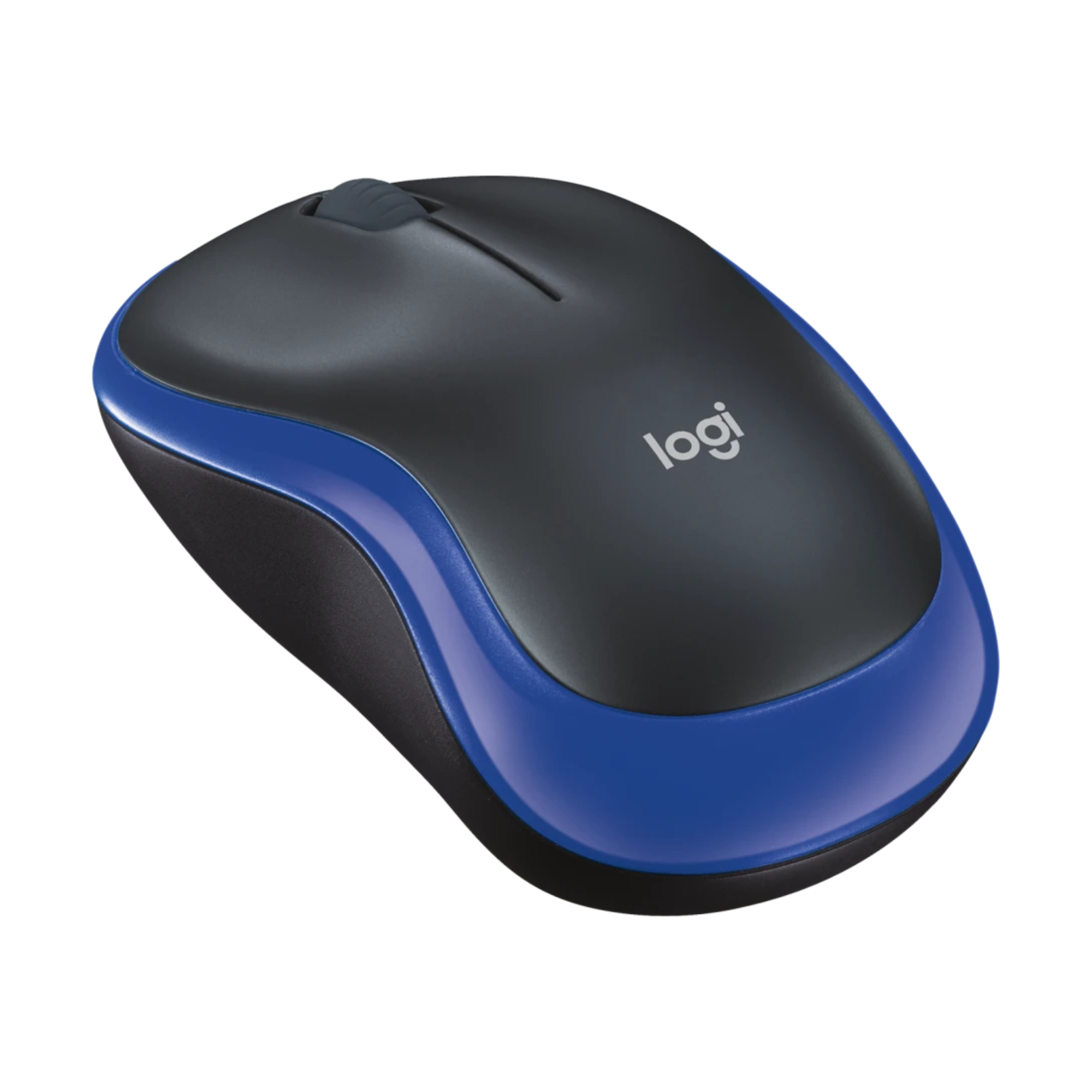
Logitech M185 Wireless Mouse
Introduction
Logitech M185 Mouse is a popular company that is known for manufacturing of computer peripherals and software. It’s Logitech M185 mouse is a budget friendly, durable and reliable mouse that is good option for travel and daily basic tasks. It has an excellent design and offers long battery life that lasts up to 12 months on a single AA battery. It’s symmetrical shape makes it comfortable for both left and right hand users.
Battery Life
Up to 12 Months
Weight
Approx, 75g
Buttons
3
Logitech M185: Specifications
Connectivity
2.4GHz Wireless
DPI
1000 DPI
Buttons
3
Battery Life
Up to 12 Months
Sensor Type
Optical
Battery
1 AA Battery
Wireless Range
Up to 10 meters
Weight
Approx. 75g
Design and Build Quality
Compact and Portable
- This Mouse has round shape and not any curve sharp edge, that makes it easy to carry with laptop and its symmetrical shape makes it suitable for both left and right handed users.
- For set-up and Connection it doesn’t require any additional extra software. You connect it easily by plugging receiver in USB and it starts working, that makes it suitable for travel and daily use.
Comfortable Shape
- It has symmetrical shape and an ambidextrous curve that allows it to fit in hand comfortably, while its compact footprint helps in easy to grip and hold.
- This mouse is lightweight and entirely made with plastic, it’s matt finish prevents from hand strain during long time use.
Build Quality
- This mouse is build with hard plastic that does not cracked or break by impact due to drop.
- It’s left and right switches creates a pleasant and satisfying clicks sound that is distinct and audible. The scroll wheel is designed with tactile line by line feel that helps in preventing accidental scrolling.
Pros
- It is lightweight
- Small Footprint
- Good Durability
Cons
- This is not a good option for very large hands
- It’s design is basic
Setup and Connectivity
Plug and Play Experience
- The Logitech M185 setup is completely Plug and Play, No software installation is required for Connectivity. It completely relies on 2.4 GHz USB Nano Receiver rather than Bluetooth
The Set-up is:
- Open the battery cover from the bottom of mouse and remove the USB Nano Receiver that is located near the battery.
- Plug the Nano USB Receiver into your Laptop, Mac or Pc’s USB A port. If your PC doesn’t have USB A port then you require USB-A to USB-C adapter.
- Then, Turn ON the power switch of mouse, it’s operating system automatically detects the receiver and you can start using it.
Reliable Wireless Connection
- 2.4 GHz wireless connection technology is used in this mouse.
- This Mouse can manage connection within 10 meter area without lag and connection dropouts.
Compatibility
- Windows
- macOS
- ChromeOS
- Linux
Performance Review
Cursor Accuracy
It is fixed at 1000 DPI which means the cursor movement is 1000 pixels per 1 inch mouse movement. It works best on mouse pads, wood and matt desks. On Highly reflective, glossy and glass surface may cause irregular cursor movement.
Suitable for:
- Web browsing
- Office Work
- Online Classes
- Photo editing
Noise Level
- The click sound of the Logitech mouse is very low, that do not create disturbance while working.
- Its scroll is designed in such a way that it allows smooth line by line scrolling.
Comfort and Ergonomics
Daily Use Experience
- For 3-4 hours continuous use it provides comfort, due to its small size it becomes easy to grip it. It’s body made with matte-finish hard premium plastic and its symmetrical shape does not cause hand fatigue unless it is a long sessions.
- It is around 10 cm long and weighs under 90 gram including AA battery, that makes it a lightweight mouse, which do not cause hand fatigue. Although during long sessions it may feel too small.
Best For
- Students
- Remote workers
- Office Employee
- Travel
- Everyday
- Browsing
Not Recommended For
- Gamers: This mouse not suitable for gaming, because it has fixed 1000 DPI Optical sensor and its small size creates problem in gaming during fast movements.
- Large Hands: People with large hands may experience problem like cramping or pain when they use this for long time because it has small surface area that makes difficult to rest entire hand.
- Heavy multitasking: This mouse is not useful for the people who do heavy multitasking for long time, because it does not have extra features for multitasking.
Battery Life Test
Logitech’s Claim
- It’s battery Life is 12 months based on average 8 hours daily use under standard office conditions, it also recommended by company to use AA alkaline battery for optimal voltage and maximum longer lifespan.
- Stand-by Mode: This Mouse features a Smart sleep mode that cut off the power when mouse is not in use or idle. That helps in when you forgot to switch off the power in night
Real World Performance
- Typical Office Use: In real world it retains 85% of battery after 60 days of standard use, based on this data battery can last up to 12 months, as company claim.
- Heavy Usage: If it is used daily for 10-15 hour continuously, then its battery life reduced to 9-10 months.
Software Features
Simplicity is the main advantage
- For connection this does not need any software installation, it only works on plug and play.
- It start working just by plugging the USB receiver into Windows, Mac and Linux
Limitation
- No customizable buttons are available.
- No DPI adjustment
- No extra advanced features.
Logitech M185 vs Competitors
| Feature | Logitech M185 | Logitech M170 | HP X200 | Dell WM118 |
|---|---|---|---|---|
| Wireless | Yes | Yes | Yes | Yes |
| Battery Life | 12 Months | 12 Months | 12 Months | 12 Months |
| DPI | 1000 | 1000 | 1000 | 1000 |
| Weight | 75g | 70g | 80g | 82g |
| Best For | Overall Value | Cheapest Option | Office Use | Basic Use |
Pros
- Its price is not so expensive, and is affordable.
- Reliable wireless performance
- Excellent battery life.
- Perfect and comfortable for everyday use
- Simply plug and play setup, No software require
- It is lightweight and portable
Cons
- No Bluetooth support
- No silent clicks
- No customizable buttons
- Design is very basic
- Not good for gaming
- No advanced features are available.
Who Should Buy Logitech MX Master 4?
Recommend For
- Budget-conscious buyers: Its price is low that makes it good option for low budget users.
- Left Handed Users: Shape of the most mouses are designed for right handed users, but its shape is symmetrical that makes it comfortable for both left and right handed users.
- Travelers: This mouse is lightweight, compact and small that easily fit into laptop bag, and you can use it during travelling.
- Laptop Users: If you use laptop and wants upgrading from touchpad, then you can use this mouse. This mouse increases your work productivity by 50% and work completion becomes faster.
Not Ideal For
- Gaming or Advanced Features
- Bluetooth connectivity
- Silent Clicks
- Programmable and customizable buttons
- Hyper Fast Scrolling
Frequently Asked Questions (FAQ)
Is Logitech M185 good for office work?
Yes, this mouse is good option for office work.
Is Logitech M185 rechargeable?
No, it does not charge. It uses one AA Battery.
Does Logitech M185 Support Bluetooth?
No, It does not supports Bluetooth. It works only via USB Nano Receiver.
How long does the battery last?
With normal use its battery can last up to 12 months.
Can I use Logitech M185 with a MacBook?
Yes, This mouse works properly with macOS, without any driver or software installation.
Is Logitech M185 good for gaming?
Only good for casual gaming, for competitive gaming use dedicated gaming mouse.
Buying Reasons
Why we recommend Logitech M185
If you are looking for a wireless mouse that is affordable and provides comfort during simple tasks, then Logitech M185 mouse could be a good value for money option for you. It provides excellent performance and long lasting battery life at low price.
Best Choice For:
- Students
- Office workers
- Home Users
- Laptop Users
- Budget Buyers
Final Verdict
The Logitech M185 mouse is not a premium mouse and does not have premium features, but if offers good value in productivity and in casual use. Its long battery life, excellent connectivity and affordable price makes it one of the best wireless mouses that you can buy in 2026.
Want a simple, reliable, and budget-friendly wireless mouse for daily use.
Then Buy Logitech M185 Mouse from Amazon